The Nuka app icon Your family’s AI assistant

Family life’s a lot.
Nuka’s got it.

The shared family organiser with an AI that reads any screenshot, email or link — and turns it into events, to-dos and reminders for everyone at home.

Screenshot addedSwim class · Tue 4:30pm
Shared with 4Everyone sees the same thing
Built for iPhone Syncs with Google Calendar One plan, whole household Private to your family. No ads.
How it works

Set up in a couple of minutes. Then mostly forget about it.

Create your household

Sign in with Apple, Google or email, name your household and add the people in it.

Invite the family

Send a link. Everyone who joins sees the same calendar, lists and to-dos — free, forever, no extra seats to buy.

Send Nuka things

A screenshot of the term dates. A forwarded email. A photo of the letter in the school bag. Nuka sorts it.

Get on with your day

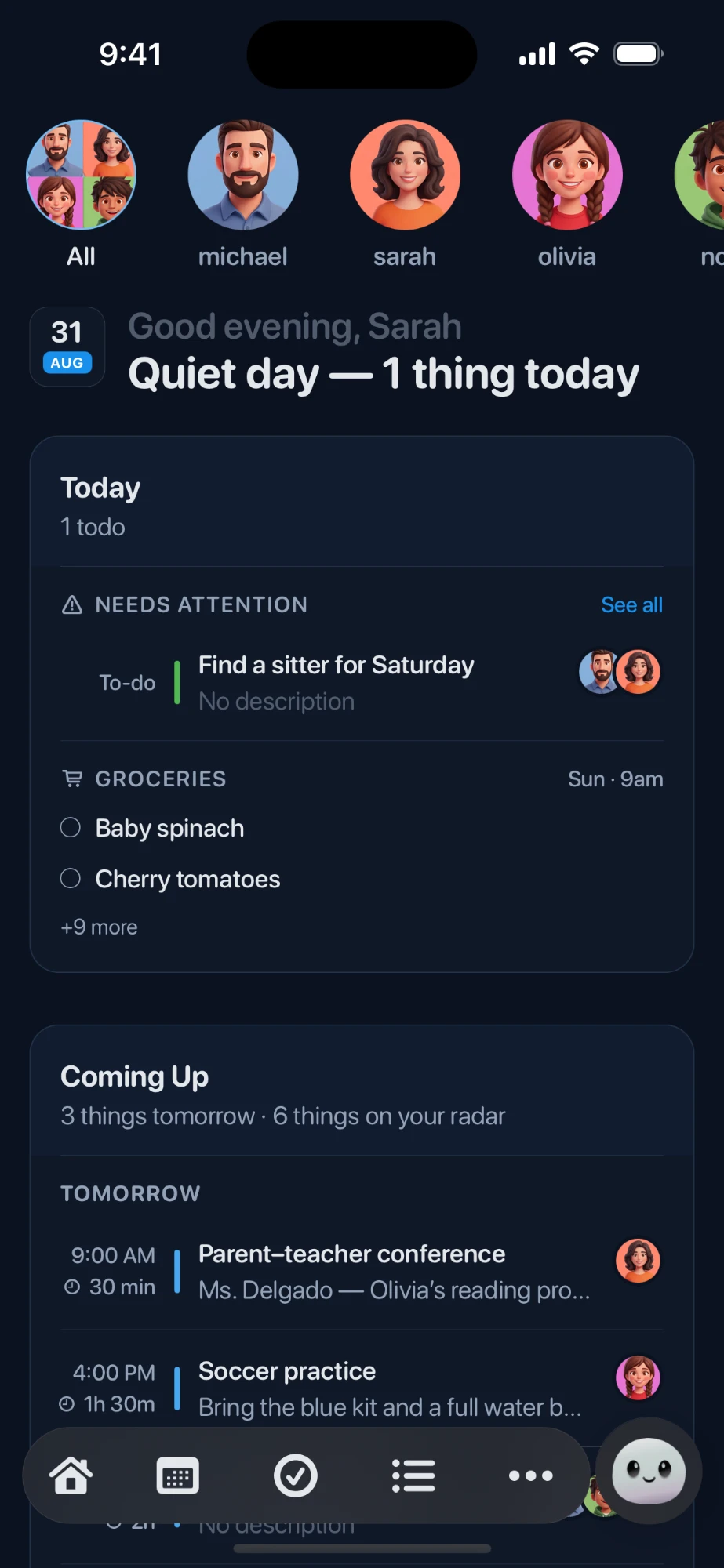
A calm morning summary, a nudge when something is close, and a Today screen that only shows what needs you.

Send it anything

Screenshot and share — Nuka makes sense of it.

Capture from any app, forward an email, paste a link. Whatever you send, Nuka reads it and turns it into the right thing in the right place.

  • Share sheet built in — send from Messages, Mail, Safari or Photos without opening the app.
  • Forward a school email to your household address and it lands as an event.
  • Photos of letters, flyers and timetables are read for dates, times and places.
  • Nuka asks when something is ambiguous, instead of guessing wrong.
The quiet bit

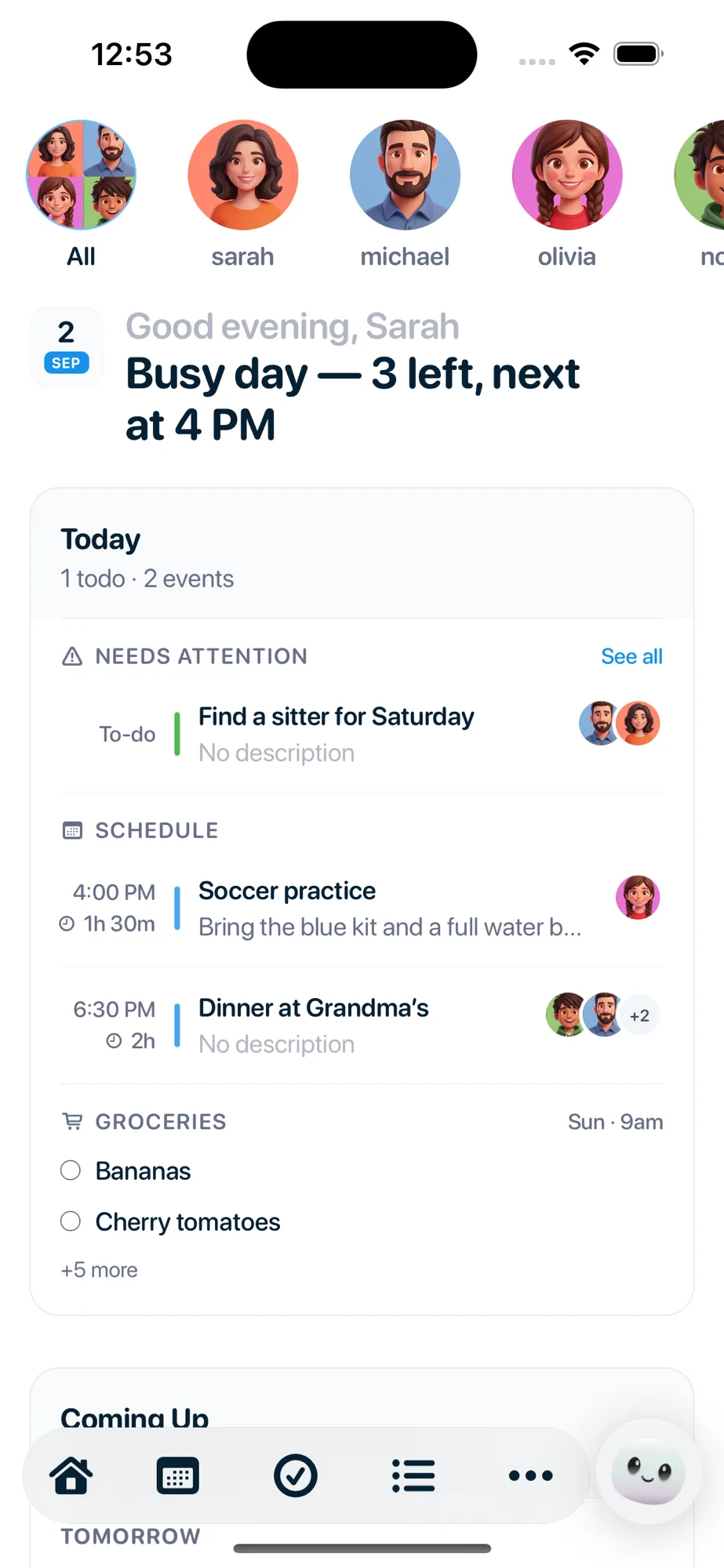
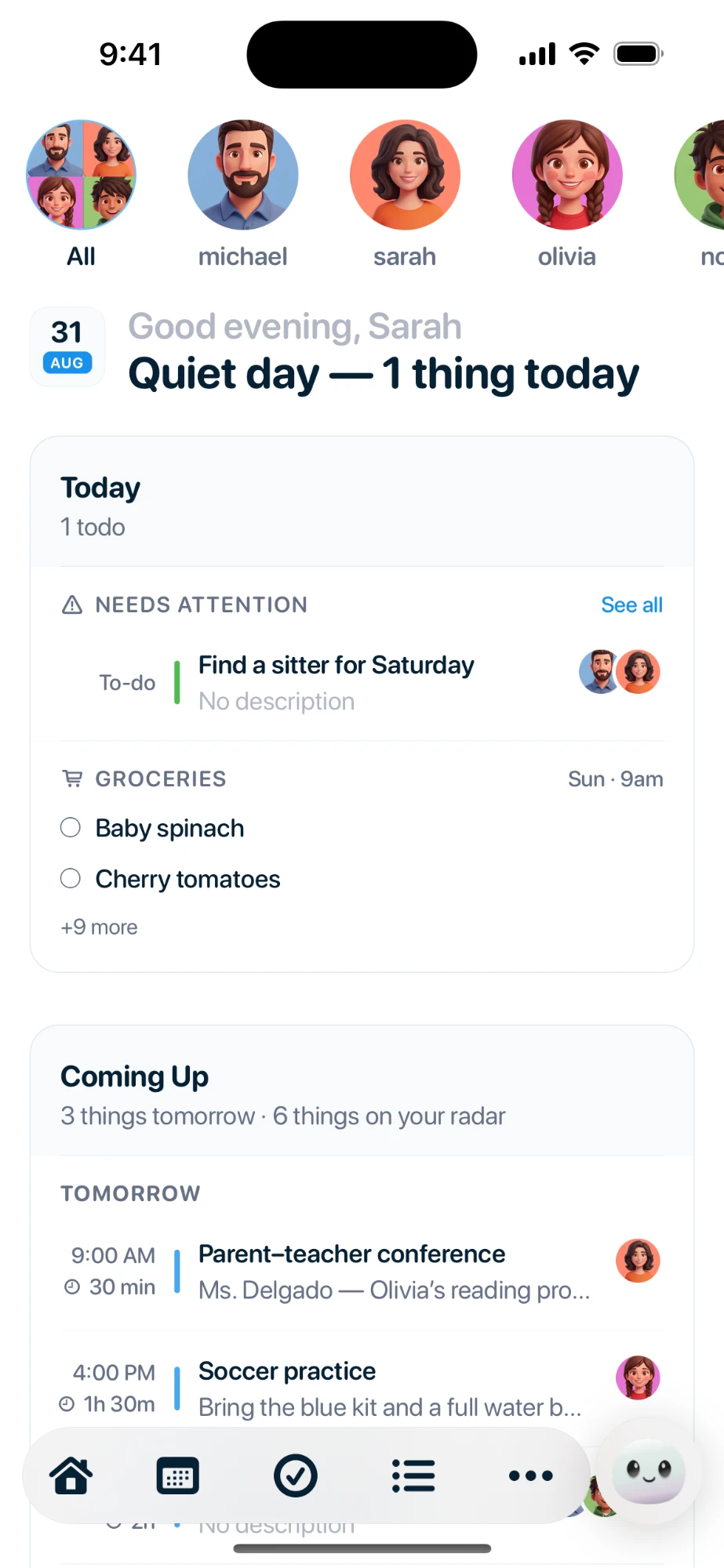
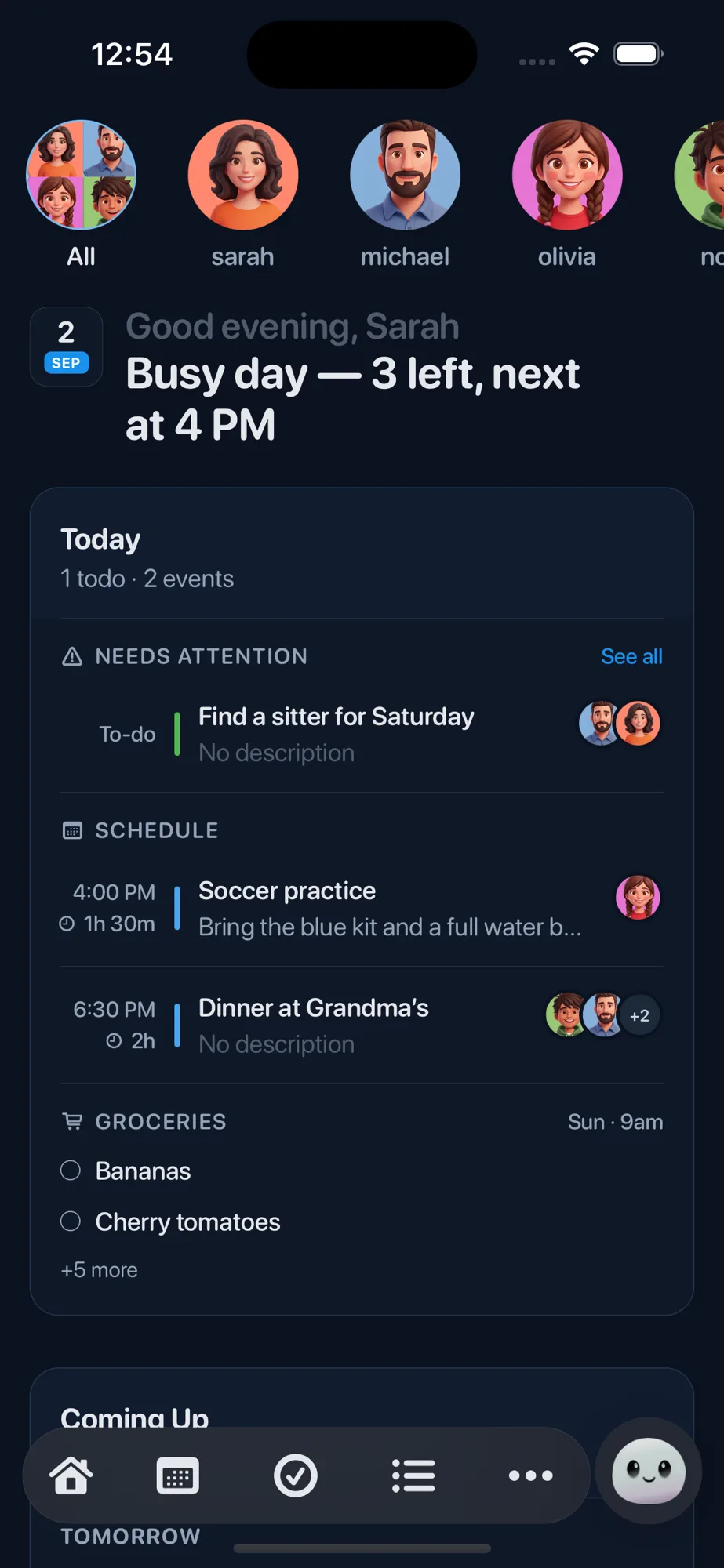
Only what needs you today. Nuka quiets the rest.

Not the whole calendar — just the handful of things that actually need someone, and who they belong to. Everything else waits its turn.

  • Events, to-dos and reminders on one screen, sorted by when they matter.
  • Every item carries a face, so nobody has to ask whose job it is.
  • Tick something off and it disappears for everyone, instantly.
Never caught off guard

Nuka nudges you in time.

One calm summary each morning, plus a heads-up before something sneaks up on you. No badge counts, no pile of red dots.

  • A single morning brief for the day ahead — not a notification per item.
  • Nudges land before the thing that needs doing, not after.
  • Everyone sets their own notification preferences.
And a whole lot more

A few of the other things Nuka quietly takes care of.

Every part of it is shared with your household by default, so the mental load stops living in one person’s head.

Google Calendar sync

Connect the calendars you already live in. Pick which one Nuka writes to, or create a new shared family calendar from inside the app.

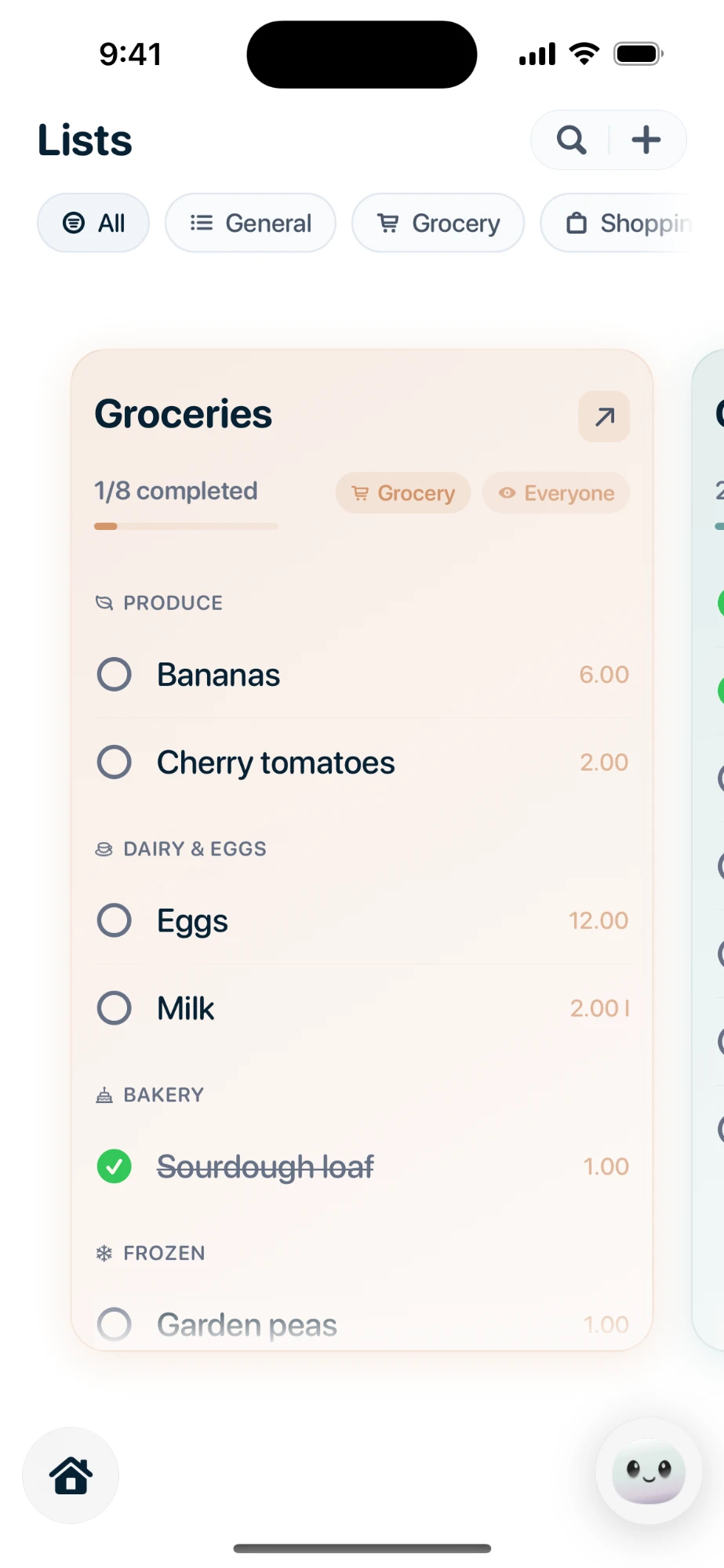
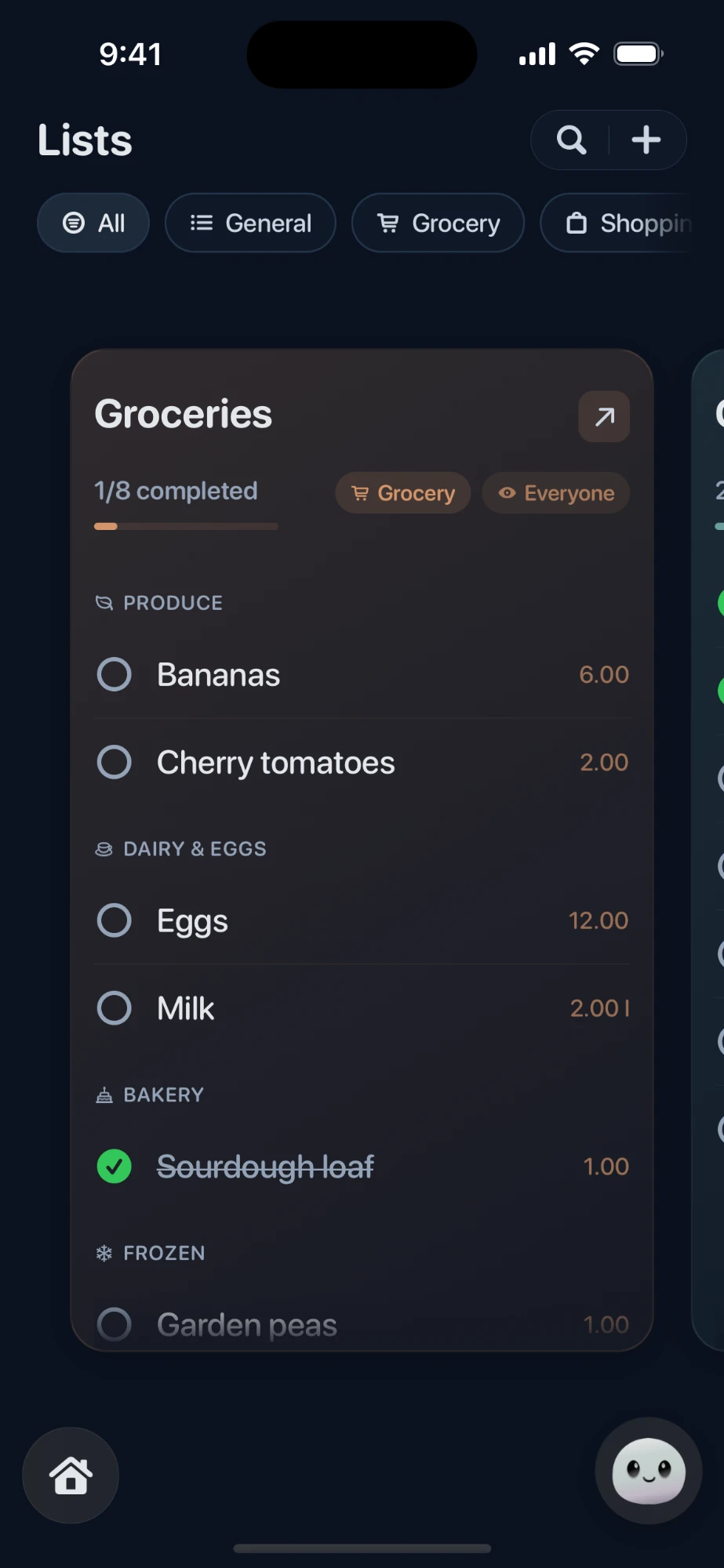
Shared lists & groceries

The grocery list everyone can add to from the shop floor. Tick an item and it vanishes on every phone at once.

Everyone in the household

Add partners, kids and grandparents. Invite by link, assign things to a person, and let Nuka work out who a new event probably belongs to.

Email forwarding

Your household gets an address. Forward the club newsletter or the appointment confirmation and it turns up organised.

To-dos that get assigned

Not a shared list nobody owns. Every to-do has a name on it, a due date, and a nudge before it’s late.

Household activity log

See what changed, who changed it and when — so a moved pickup time is never a mystery.

Share & action extensions

Nuka lives in the iOS share sheet. Send it something from any app, in two taps, without leaving what you were doing.

Private to your household

Your family’s calendar is not an ad product. No ads, no selling data, and you can delete your account and everything in it from the app.

One plan, per household

One person pays. Everyone at home gets it.

Nuka is priced per household, not per person. Adding your partner, your kids or your parents never costs more.

Save 27%

Annual

$79/ year

Works out at $6.58 a month

Billed once a year through the App Store.

  • Unlimited Nuka AI for the household
  • Everyone you invite is covered
  • Google Calendar sync
  • Email forwarding & share sheet
  • Cancel any time in Settings
Try Nuka free

Monthly

$8.99/ month

Billed monthly through the App Store.

  • Unlimited Nuka AI for the household
  • Everyone you invite is covered
  • Google Calendar sync
  • Email forwarding & share sheet
  • Cancel any time in Settings
Try Nuka free

Only the AI is paid for. The calendar, lists, to-dos, household members and invitations stay free forever — so the rest of your family can join without anyone buying anything. Prices shown in USD; the App Store charges in your local currency.

Questions

The things people ask us.

Do I need a card to try it?
No. Trying Nuka is free and takes no card details, so there is nothing to enter and nothing to cancel. Everything is unlocked while you try it, with a cap on AI requests — plenty to see whether Nuka fits your family.
What happens when the free requests run out?
The AI switches off. Everything else keeps working: your calendar, to-dos, lists, household members and invitations stay free, and nothing you already added disappears.
Does everyone in the family need to pay?
No. Nuka is sold per household. One person subscribes and every member of that household is covered — there are no seats to count and no upgrade prompt when your family grows.
Will it mess with my existing calendar?
Only if you want it to. Connect Google Calendar and you choose which calendar Nuka writes to, or have it create a new shared family calendar so household events stay separate from your work diary.
What can I actually send it?
Screenshots, photos of letters and flyers, forwarded emails, links, or just plain text like “football moved to Saturday 10am”. Nuka reads the dates, times and places out of it, asks if something is ambiguous, and files it as an event, a to-do or a reminder.
Is it on Android?
Not yet — Nuka is iPhone only for now, so it can lean on the iOS share sheet, widgets and notifications properly. Android is on the list.
Who can see my family’s stuff?
Only the people you invite to your household. There are no ads and nothing is sold on. You can delete your account, and everything attached to it, from Settings inside the app.

Let Nuka hold the details.

Family life’s a lot. Give the remembering to someone else.

Available on the App Store